

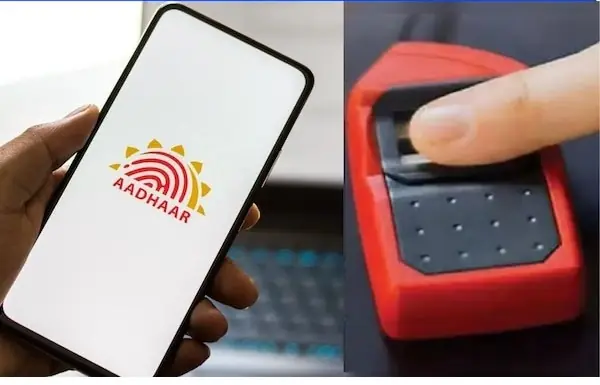
Aadhaar Security Tips:
In today’s digital India, the Aadhaar card is required for almost every task, big or small. But as its usage has increased, so has the misuse of Aadhaar by fraudsters. Recently, criminals have used stolen fingerprints to cheat people through AePS transactions, fake SIM cards, and fraudulent loans. Money is being withdrawn from bank accounts without the account holders even realizing it. It’s important to know how to prevent such incidents and what steps you can take.
Aadhaar Biometric Lock:
Your Aadhaar isn’t just an ID anymore—it’s essential for banking, getting a SIM card, and many other services. This makes it crucial to handle it carefully. Even a small mistake can expose you to the risk of fraudulent transactions or misuse of your identity. Scammers can use your fingerprint to take loans, get SIM cards, or conduct bank transactions without your knowledge. Fortunately, UIDAI offers a feature that lets you lock your Aadhaar biometrics with a single click. Once locked, your fingerprints cannot be used by anyone, keeping your identity and bank account completely secure.
For your information, biometrics—your fingerprint and iris scan—are often used in Aadhaar-based payment (AePS) fraud. By locking these, no one can use your fingerprint or iris to commit fraud on your bank account. Locking makes Aadhaar authentication more secure and helps prevent scammers.
First, learn how your Aadhaar is being used for fraud.
These days, Aadhaar is being misused extensively. This is most evident in AePS (Aadhaar Enabled Payment System), where money can be withdrawn from a bank using just a fingerprint. Scammers misuse it in a number of ways. Let’s explore them:
Fingerprint Cloning
Fraudsters or scammers copy your fingerprint scans from biometric devices installed at shops, banks, CSPs, or other locations. They copy these fingerprints to create fake fingerprints and use them on AePS machines to withdraw money from your account.
e-KYC Fraud
Many times, people obtain your Aadhaar number and fingerprints under the guise of filling out forms, purchasing a SIM card, or updating your bank account. These are then misused in the e-KYC process for fraudulent activities like activating fake SIM cards, opening bank accounts, and obtaining loans.
Now learn how to lock your biometrics
Through the UIDAI website –
To do this, first visit the UIDAI official website and go to the Biometric Lock/Unlock page.
Tap on Lock/Unlock Biometrics here.
Enter your 12-digit Aadhaar number and captcha.
Receive the OTP and enter it.
You will now see the Enable Locking option; click on it.
Your biometrics are now locked. You can unlock them if needed.
Through the mAadhaar app –
You can also lock your biometrics through the mAadhaar app.
To do this, open your mAadhaar app on your phone.
Go to Biometric Settings and turn on Biometric Lock.
Authenticate with an OTP.
Learn how to create a Virtual ID
A Virtual ID is a 16-digit number that can be used in place of your Aadhaar number. To create it:
Go to the UIDAI VID Generator page.
Enter your Aadhaar number and captcha.
Enter the OTP and click Generate VID.
You will receive your VID via SMS. It can be used for e-KYC and other services without revealing your Aadhaar number. Please note that the VID may change from time to time, but the Aadhaar number remains the same.

